

写在最前
数据类型转换,顾名思义:就是吧一种数据类型转换成另一种。
Python 中主要分为:
- 隐式转换:Python 自动完成
- 显式转换:主动调用函数完成
查看值的数据类型
使用 type() :
age = 18
price = 9.9
name = "Tom"

print(type(age))    # <class 'int'>
print(type(price))  # <class 'float'>
print(type(name))   # <class 'str'>
使用 isinstance() :
age = 18

print(isinstance(age, int))        # True
print(isinstance(age, str)) # False关于这两个函数的差异: type() 只能识别到类型,而 isinstance() 可以识别儿子类型和父亲类型。
实际开发中,正是因为 isinstance() 可以识别子类,所以更加通用,isinstance()在官方文档里的解释。
这里给出 isinstance() 的拓展用法:
num = 3.8

print(isinstance(num, (int, float)))
这里 isinstance() 内的第二个参数是 (int, float) 这表示:num 是 int 或者 float 中的任意一个都是 Ture,同理,也可以放入第三个、第四个等等参数。
隐式类型转换
Python 在某些运算中会自动转换数据类型。
整型与浮点型
result = 10 + 2.5

print(result)        # 12.5
print(type(result))  # <class 'float'>
这里 Python 先把 10 转换为 10.0,再参与计算。
常见的数值类型转换的方向:
bool → int → float → complex例如:
print(True + 2)       # 3
print(2 + 3.5)        # 5.5
print(2.5 + 1j)       # (2.5+1j)
这里是因为 True 先转换为 int 类型,int(True) = 1。
需要注意的是:Python 不会把字符串类型转换为整型
age = "18"
print(age + 1)
# TypeError: can only concatenate str (not "int") to str
显示类型转换
如果要转换的话,需要主动调用函数:
print(int(age) + 1) # 19转换为整数:
基本语法:
int(value)浮点数转整数:
print(int(3.9))   # 3
print(int(3.1))   # 3
print(int(-3.9))  # -3
int() 会直接截掉小数部分,即向 0 的方向取整。
那么如何进行四舍五入呢?
print(round(3.99)) # 4round() 还可以指定保留几位小数,完整一点的写法是:
round(number, ndigits)例如:
print(round(3.1415926, 2)) # 3.14误区1:Python 的round() 不完全是“四舍五入”,遇见两个数字中间的数字 X.5 round() 会选择偶数。
print(round(2.5))  # 2
print(round(3.5)) # 4误区2:浮点数精度问题。举个例子:
print(round(2.675, 2))很多人第一反应是 2.68。但 Python 有可能得到 2.67。
这是因为像 2.675 这样的十进制小数在计算机的二进制浮点数中不一定能被精确的表示。这里读者可以自行查阅,了解浮点数精度问题。
如果你导入 math 库,可以对数字进行向上/下取整的操作,例如:
import math

x = 3.9
y = -3.1

print(math.ceil(x))     # 4
print(math.ceil(y))     # -3

print(math.floor(x))    # 3
print(math.floor(y))    # -4

# 这两个函数返回的都是整型
指定进制
int() 可以把其他进制的字符串转换为十进制整数:
print(int("1010", 2))  # 10,二进制
print(int("17", 8))    # 15,八进制
print(int("ff", 16))   # 255,十六进制
也可以让 Python 根据前缀自动判断进制:
print(int("0b1010", 0))  # 10
print(int("0o17", 0))    # 15
print(int("0xff", 0)) # 255转换为浮点数:float()
print(float(10))       # 10.0
print(float("3.14"))   # 3.14
print(float("-2.5"))   # -2.5
科学计数法也可以:
print(float("2.5e2"))  # 250.0
print(float("1e-3"))   # 0.001
print(float("1e3")) # 1000.0转换为字符串:str()
几乎任何 Python 对象都可以通过 str() 转成字符串:
print(str(123))          # '123'
print(str(3.14))         # '3.14'
print(str(True))         # 'True'
print(str(None))         # 'None'
print(str([1, 2, 3]))    # '[1, 2, 3]'
f-string 会自动生成相应的字符串表示。
其实背后涉及 Python 一个知识点:字符串格式化。
f-string 全称 formatted string literal(格式化字符串字面量)
最明显的特征就是:字符串前面有一个 f,然后可以在字符串内部使用 {} 放变量或表达式。
name = "小明"
age = 18

message = f"{name}今年{age}岁"

print(message)
输出:
小明今年18岁这里 f-string 会自动生成相应的字符串表示。
转换为布尔值:bool()
bool() 根据对象是否“为空”来转换。
以下值会转换为 False:
bool(False)  # False
bool(None)   # False

bool(0)      # False
bool(0.0)    # False
bool(0j)     # False

bool("")     # False
bool([])     # False
bool(())     # False
bool({})     # False
bool(set())  # False
大多数其他值都会转换为 True:
bool(1)          # True
bool(-1)         # True
bool("hello")    # True
bool([0])        # True
bool({"a": 1})   # True
特别注意字符串
print(bool("False"))  # True
print(bool("0"))      # True
print(bool(" ")) # True因为它们都是非空字符串。bool() 不会理解字符串的文字含义。
列表、元组、集合之间转换
list():
print(list((1, 2, 3)))   # [1, 2, 3]
print(list({1, 2, 3}))   # 顺序不保证
print(list("Python"))     # ['P', 'y', 't', 'h', 'o', 'n']
print(list(range(5)))     # [0, 1, 2, 3, 4]
字典转列表,默认得到键:
data = {"name": "Tom", "age": 18}

print(list(data))          # ['name', 'age']
print(list(data.keys()))   # ['name', 'age']
print(list(data.values())) # ['Tom', 18]
print(list(data.items())) # [('name', 'Tom'), ('age', 18)]tuple():
print(tuple([1, 2, 3]))  # (1, 2, 3)
print(tuple("abc")) # ('a', 'b', 'c')set():
集合会自动去重:
numbers = [1, 2, 2, 3, 3]

print(set(numbers))  # {1, 2, 3}
字符串转集合:
print(set("hello")) # 字符去重,顺序不保证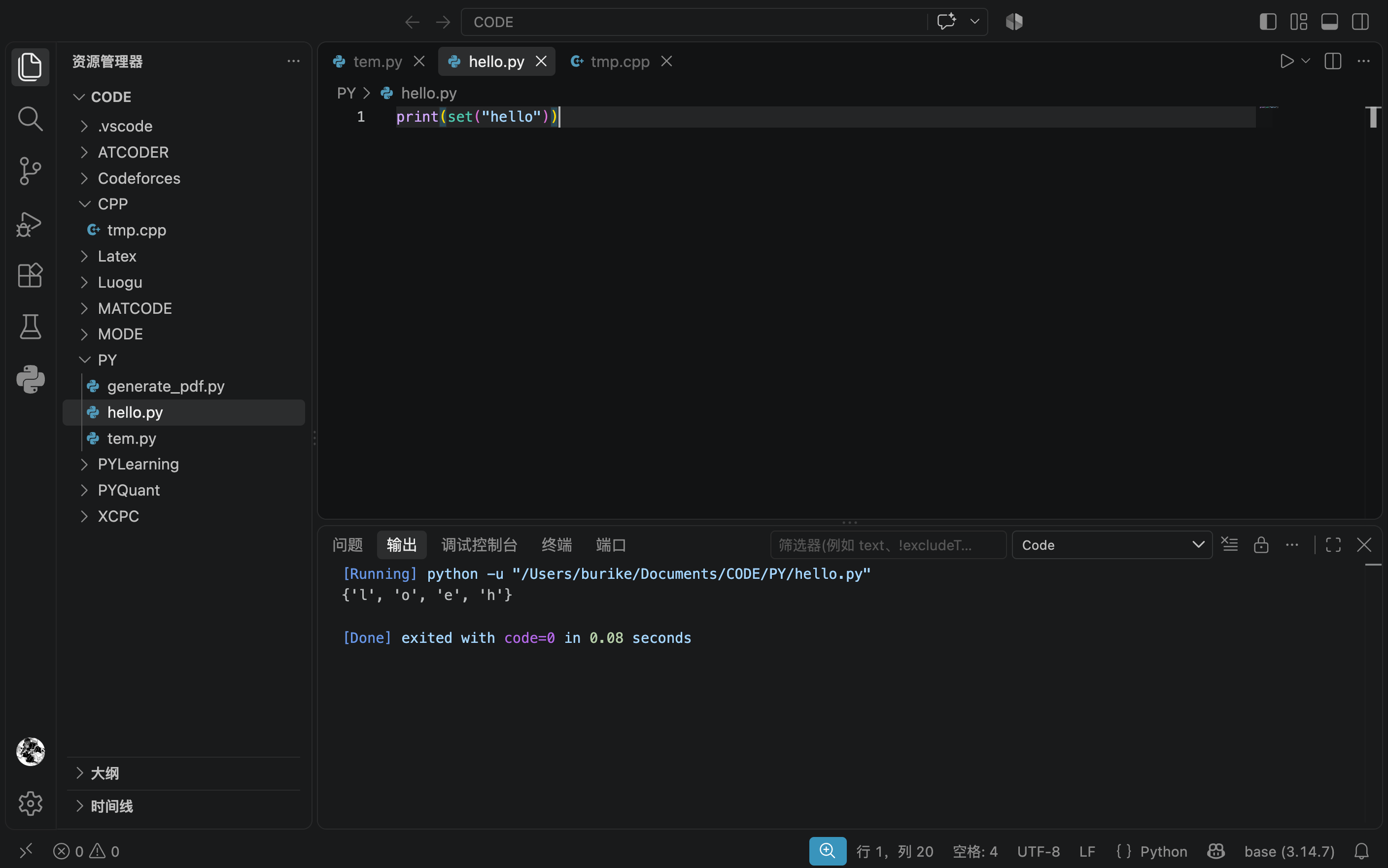
dict():
键值对序列转字典
pairs = [("name", "Tom"), ("age", 18)]

data = dict(pairs)
print(data)  # {'name': 'Tom', 'age': 18}
等价于:
dict([("a", 1), ("b", 2)]) # 必须恰好包含两个值关键字参数创建字典:
data = dict(name="Tom", age=18)

print(data) # {'name': 'Tom', 'age': 18}两个列表组合成字典:
常用 zip()
keys = ["name", "age", "city"]
values = ["Tom", 18, "Shanghai"]

data = dict(zip(keys, values))
print(data)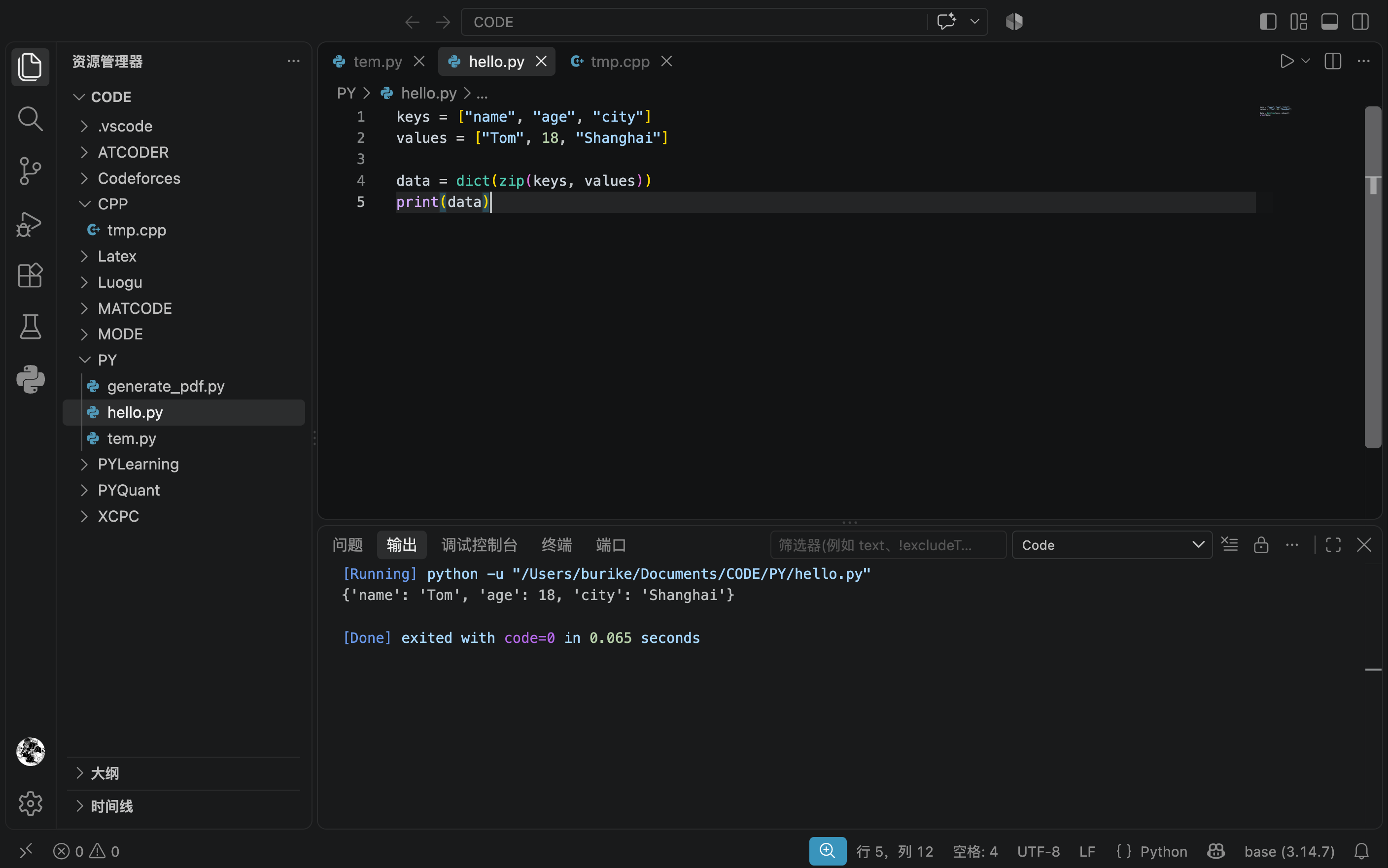
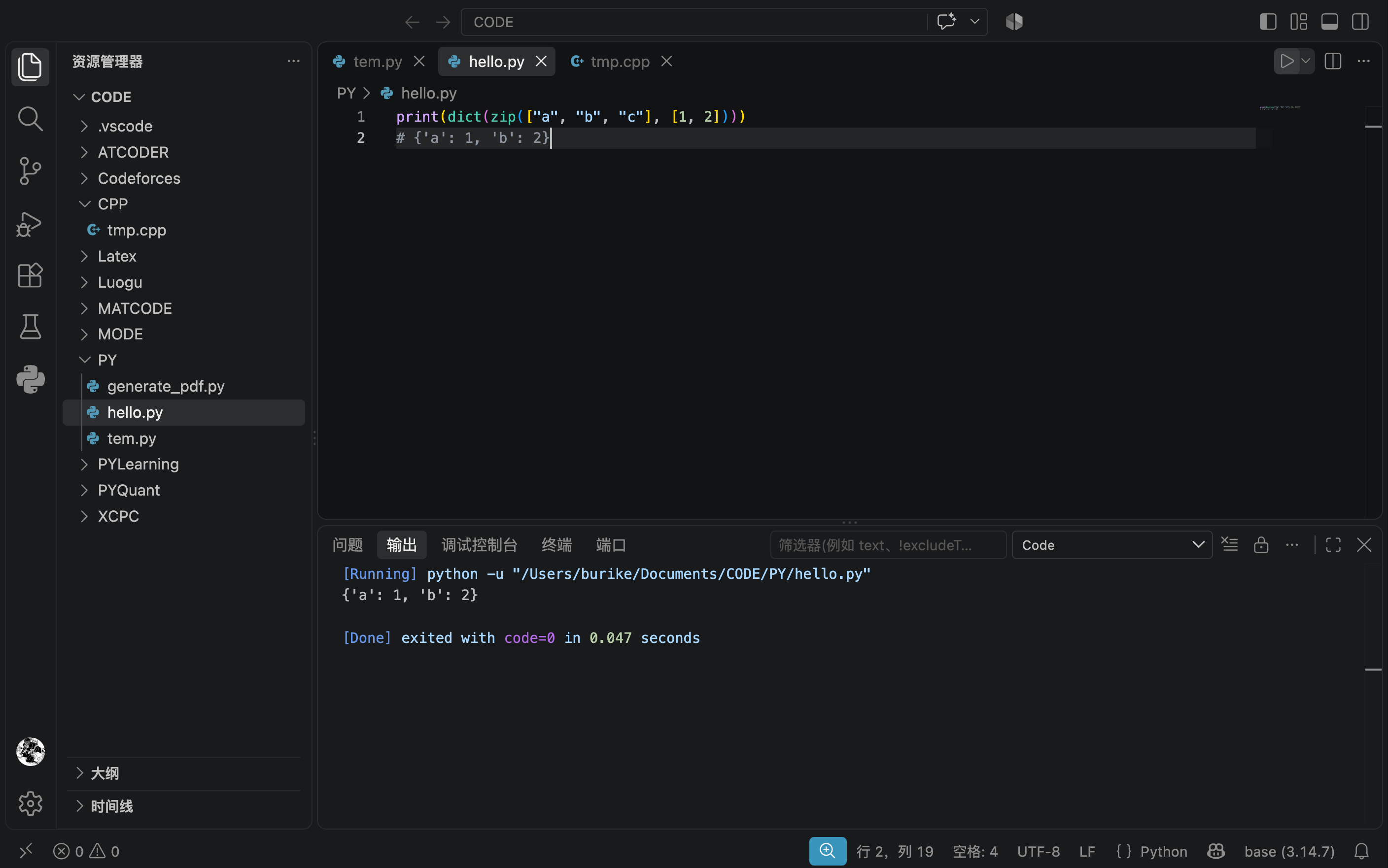
如果两个序列长度不同,zip() 默认会向更短的一边对齐:
字符串与列表之间转换
这是实际开发中的一种常见操作。
字符串拆分成列表:split()
默认按照连续的空白字符拆分:
text = "Python   Java  C++"

print(text.split())

# ['Python', 'Java', 'C++']
也可以指定拆分符:
text = "apple,banana,orange"

fruits = text.split(",")
print(fruits)

# ['apple', 'banana', 'orange']列表合并成字符串:join()
fruits = ["apple", "banana", "orange"]

text = ",".join(fruits)
print(text)

# apple,banana,orange
列表元素必须都是字符串:
numbers = [1, 2, 3]

",".join(numbers)       # 报错 TypeError
可以先转换,有两种写法:
result = ",".join(map(str, numbers))

print(result)  # 1,2,3

# 或者

result = ",".join(str(num) for num in numbers)

print(result)  # 1,2,3
两种写法完全等价,读者可以自行查询 map() 的用法,理解上面两种写法。
字符与编码值转换
ord():字符转 Unicode 编码值
print(ord("A"))  # 65
print(ord("中")) # 20013

ord("AB") # 注意,参数必须是单个字符。TypeErrorchr():编码值转字符
print(chr(65))     # A
print(chr(20013))  # 中
字符串与字节
str 和 bytes 计算机保存或传输文本时,经常需要在字符串和字节之间相互转换。
encode()
text = "你好"

data = text.encode("utf-8")

print(data)        # b'\xe4\xbd\xa0\xe5\xa5\xbd'
print(type(data))  # <class 'bytes'>
decode()
data = b'\xe4\xbd\xa0\xe5\xa5\xbd'

text = data.decode("utf-8")

print(text)        # 你好
print(type(text))  # <class 'str'>
注意,编码和解码格式应该保持一致,否则会乱码或者报错。
常用转换总结
| 目标类型 | 函数 | 示例 | 结果 |
|---|---|---|---|
| 整数 | int() |
int("12") |
12 |
| 浮点数 | float() |
float("3.5") |
3.5 |
| 字符串 | str() |
str(100) |
"100" |
| 布尔值 | bool() |
bool([]) |
False |
| 列表 | list() |
list("abc") |
["a", "b", "c"] |
| 元组 | tuple() |
tuple([1, 2]) |
(1, 2) |
| 集合 | set() |
set([1, 1, 2]) |
{1, 2} |
| 字典 | dict() |
dict([("a", 1)]) |
{"a": 1} |
| 字节 | bytes() / encode() |
"你好".encode() |
UTF-8 字节 |
| Unicode 编码值 | ord() |
ord("A") |
65 |
| Unicode 字符 | chr() |
chr(65) |
"A" |